Devices
Devices are Data Orchestrator's main entities for exchanging data.
You can navigate to this section thanks to the side menu of the Dashboard. A list of all registered devices is displayed.
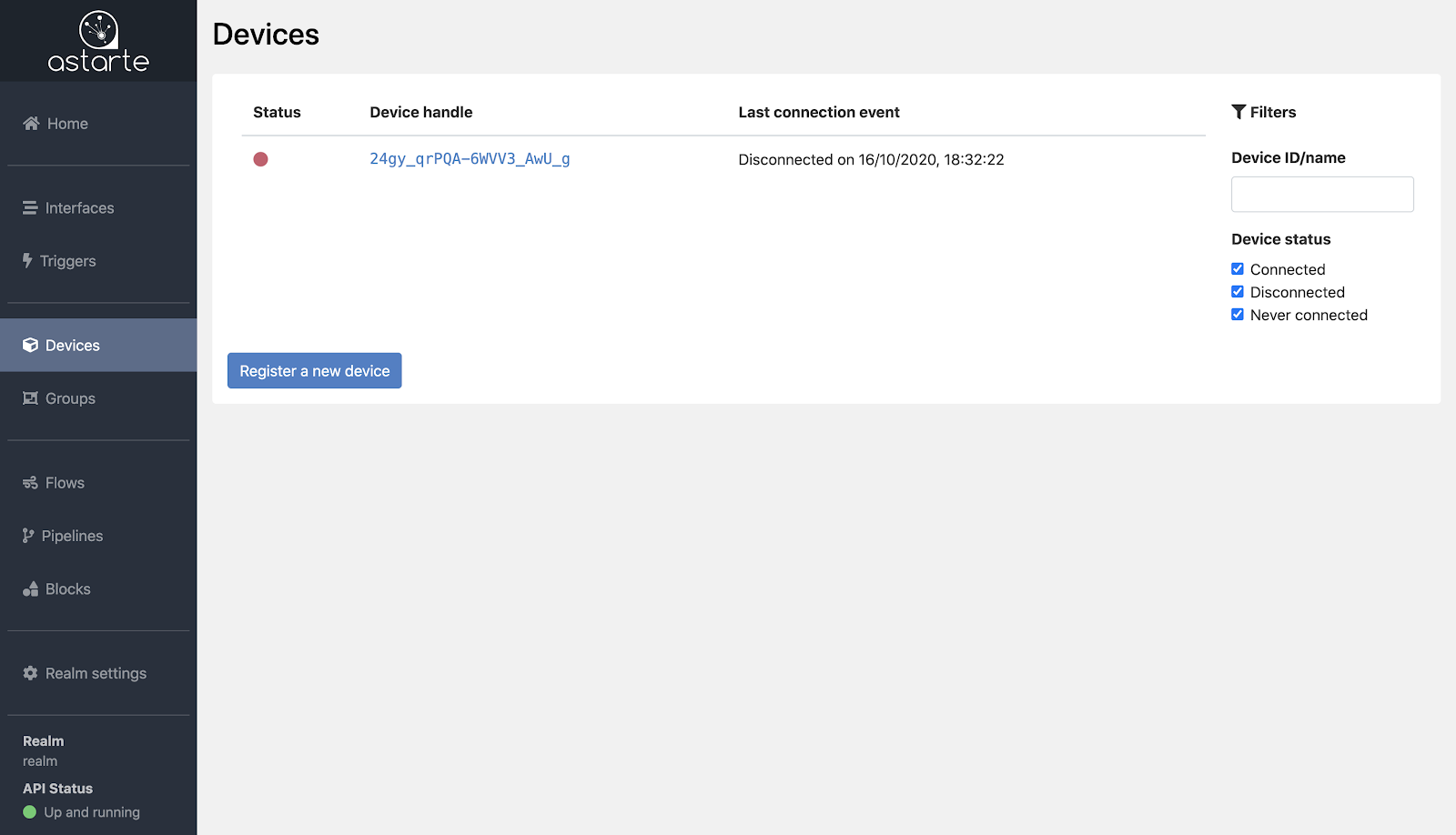
Each device in the list is displayed together with info regarding its status and the last connection event. The status is represented by a grey dot if the device never connected to Data Orchestrator, a green dot if it is currently connected, a red dot if it is currently disconnected. The last connection event reports, if available, the date of the last connection or disconnection.
A filter section is present on the side of the list to aid the search for specific devices, filtering the list by device ID, name, connection status, or configured attributes.
Registering a device
From the Device list, new devices may be registered by clicking on the Register a new device button which will take you to the registration page.
Here you can proceed with the registration of the device by:
- providing a device ID: either by generating a random ID or by specifying a
NameandNamespace UUIDto generate the ID in a deterministic fashion. - optionally declaring the initial introspection of the device: this is an indication of the list of interfaces that the device will use to exchange data.
You can learn more about Devices and the registration process in their documentation's section.
Device status and details
From the Device list, you can select a device to navigate to its dedicated page.
Here you can review and manage different info about your device.
Device Info
- Device Info: displays info such as the device ID and the device Name alias, if set. It reports whether the device is currently connected or disconnected, or if it was never connected. From this section you can also momentarily Inhibit credentials for the device, preventing it to obtain access to Data Orchestrator; or you can directly Wipe credential secret of the device, a permanent action which will require to register the device again to have a new Credential Secret.
- Aliases: where you can manage custom aliases for the device. Note that setting a
namealias will provide a name for the device. - Attributes: a dedicated section to attach arbitrary info to the device, in a key-value form.
- Groups: where you can review and manage the Groups the device belongs to.
- Interfaces: a list of all currently and previously used interfaces. Clicking on an interface's name will load a dedicated page to review data exchanged by the device through that interface.
- Stats: a rundown on exchanged data via different interfaces. Here you can review, in both visual and numeric form, the quantity of bytes and messages the device is exchanging over each interface. This way you can always know at a glance which interfaces are the busiest and how chatty your device is.
- Status Events: here is info collected by Data Orchestrator regarding the IP addresses involved in the connections of the device to Data Orchestrator, the dates of first registration and credentials request, and the dates of last connection and disconnection, if available.
- Live Events: a section that reports live events regarding the device. It makes use of Data Orchestrator Channels and displays the connections, exchanged data, and errors of the device, as they happen in real-time.