Interfaces
Interfaces are a core concept of Data Orchestrator which defines how data is exchanged between Data Orchestrator and its peers.
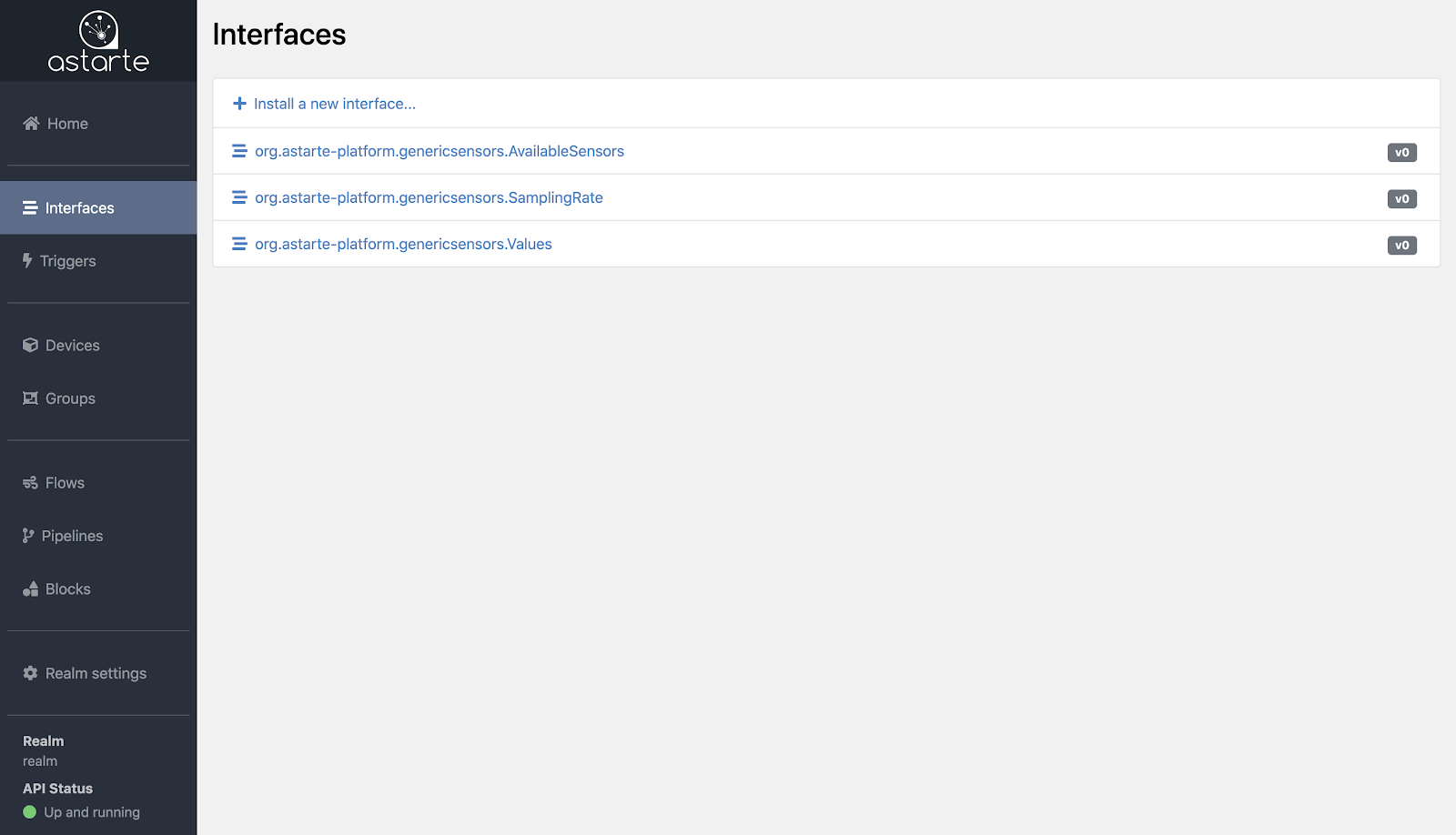
You can navigate to this section thanks to the side menu of the Dashboard. A list of all installed interfaces is displayed, together with their major versions.
Installing interfaces
From the Interface list, clicking on the Install a new interface button will load up the Interface Editor, an interactive tool that you can use to configure your interfaces.
The Interface Editor provides you with two ways to define your interfaces: on the left panel, a graphical frontend, while on the right panel you may input a JSON definition to achieve the same result. Each panel updates automatically whenever the other is changed.
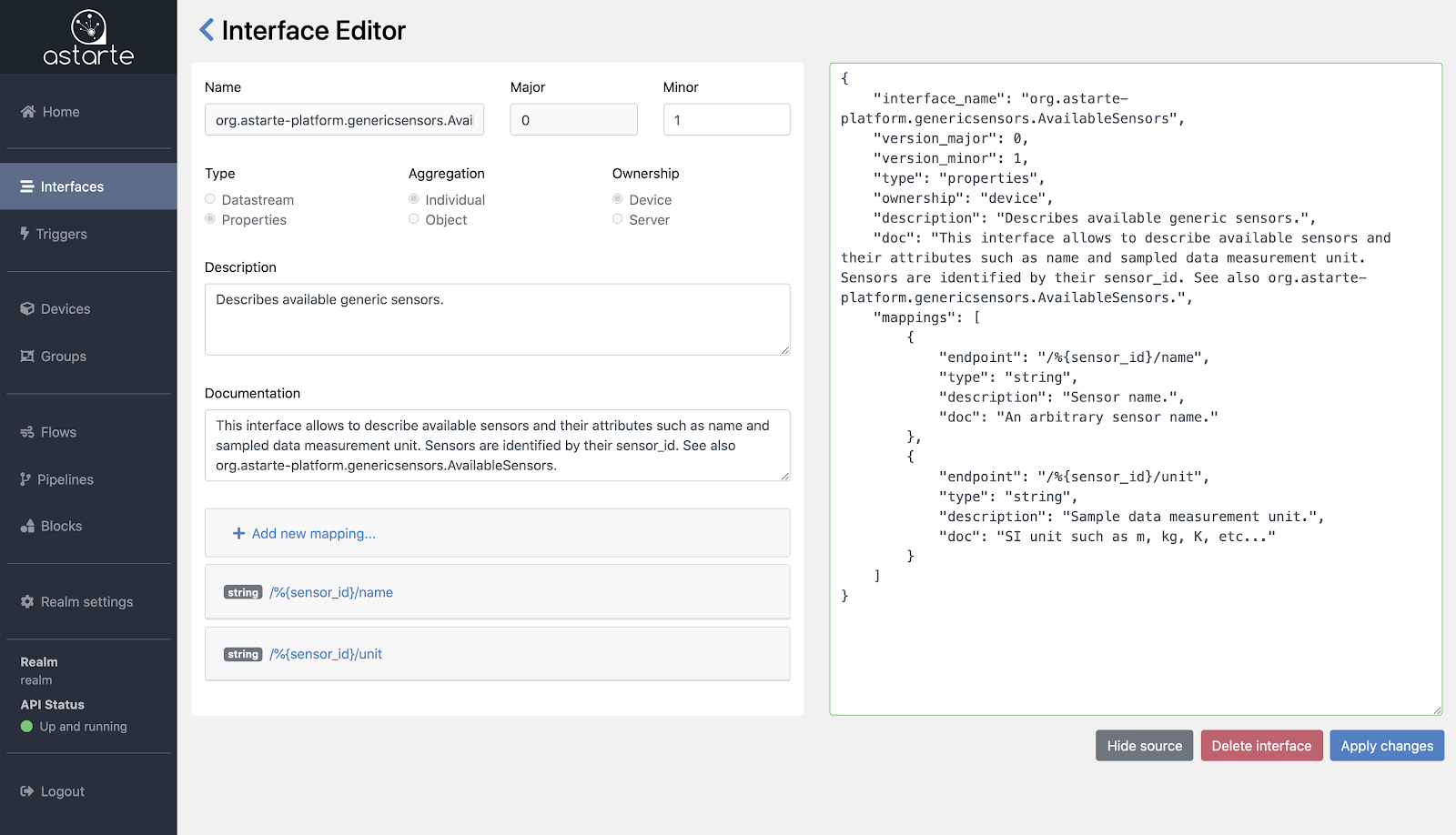
While defining a new interface, the Interface Editor will help you in supplying the right options and filling in mandatory entries such as:
- Name: an arbitrary name, formatted in reversed DNS casing.
- Major and Minor versions: based on Semantic Versioning.
- Type: indicates whether data is streamed continuously (
datastream) or is stateful and persistent (properties). - Ownership: the write-only allowed actor. All the other actors are read-only.
- Mappings: a list of endpoints that represent the data structure, following REST controller semantics.
You can learn more about Interface definitions in their documentation's section.
Note that when creating interface drafts, or for testing purposes in general, it is recommended to
use 0 as the major version: to prevent data loss, Data Orchestrator allows only interfaces where
major_version equals 0 to be deleted.
Managing interfaces
From the Interface list, you can select an interface to load and view its details in the Interface Editor. Clicking on the name of the interface will select its latest revision; clicking on a specific major of the interface will select the latest revision for that major. Note that interface revisions follow the Semantic Versioning convention.
Once the Interface Editor is loaded you can review, update or delete the definition of the interface.
Note that to prevent data loss, Data Orchestrator allows only interfaces where major_version equals 0 to
be deleted.
For similar reasons, when updating the definition of an interface, the Interface Editor will not
allow you to change core properties on a minor version update. If you need to apply substantial
changes, you can define and install a new major version for the interface.