Release Creation Process
To create a Release in Device Manager:
- Navigate to the Applications section in the Device Manager web interface
- Open the app for which you want to create a release
- Click on Create Release action button
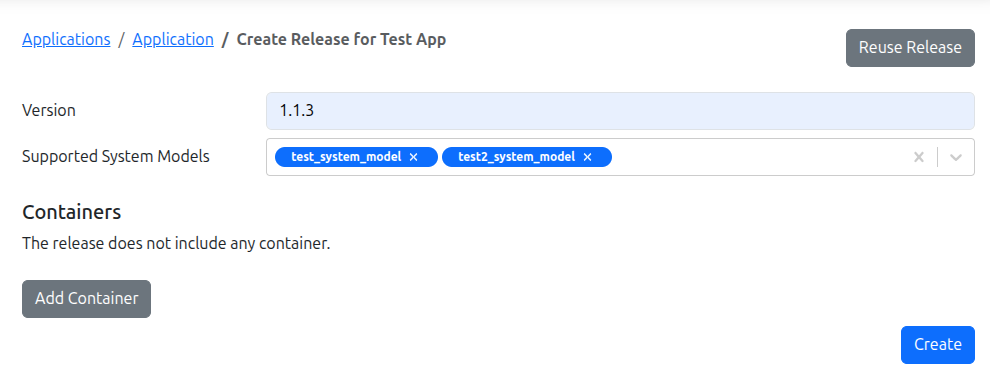
- Fill in the release form:
- Version: Enter a unique version number that follows the Semantic Versioning spec
- Supported System Models: Choose system model(s) which the release should support. If left blank, the release supports all devices
- Add container(s) by clicking Add Container button (see Container creation for more details)
- Click Create to create the release