Creating a Network in Device Manager
-
Navigate to the Networks section of the Device Manager web interface.
-
Click Create Network.
-
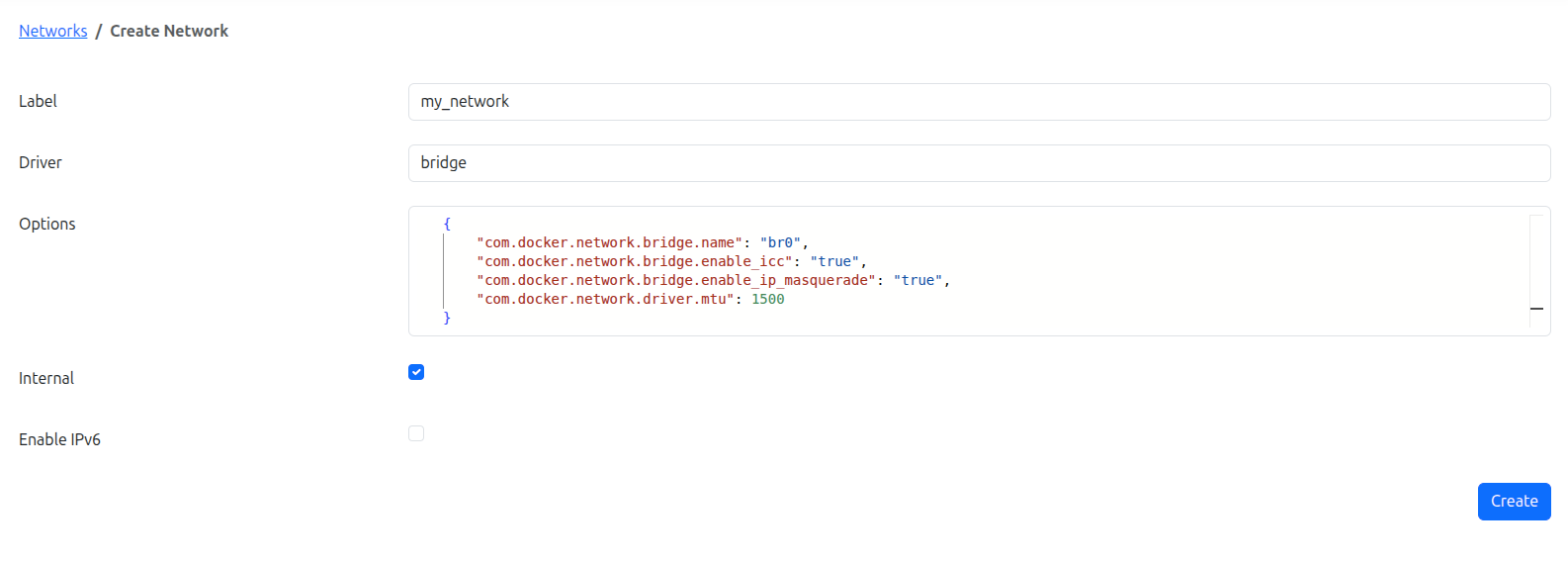
Fill out the network configuration form:
- Label – Provide a descriptive name for the network. (Required)
- Driver – Select a Docker-supported network driver. (Optional; defaults to
bridgeif not set) - Options – Enter a JSON object containing driver-specific configuration options. (Optional)
- Internal – Enable to restrict external access. (Optional)
- Enable IPv6 – Enable to allow IPv6 networking. (Optional)
-
Click Create to save the network.