Managing Existing Networks
Viewing Networks
In the Networks section of Device Manager, you can view a table listing all networks that have been created. The table provides basic information such as Label, Driver, and other key details.
-
You can search and filter networks by label or driver to quickly locate a specific network.
-
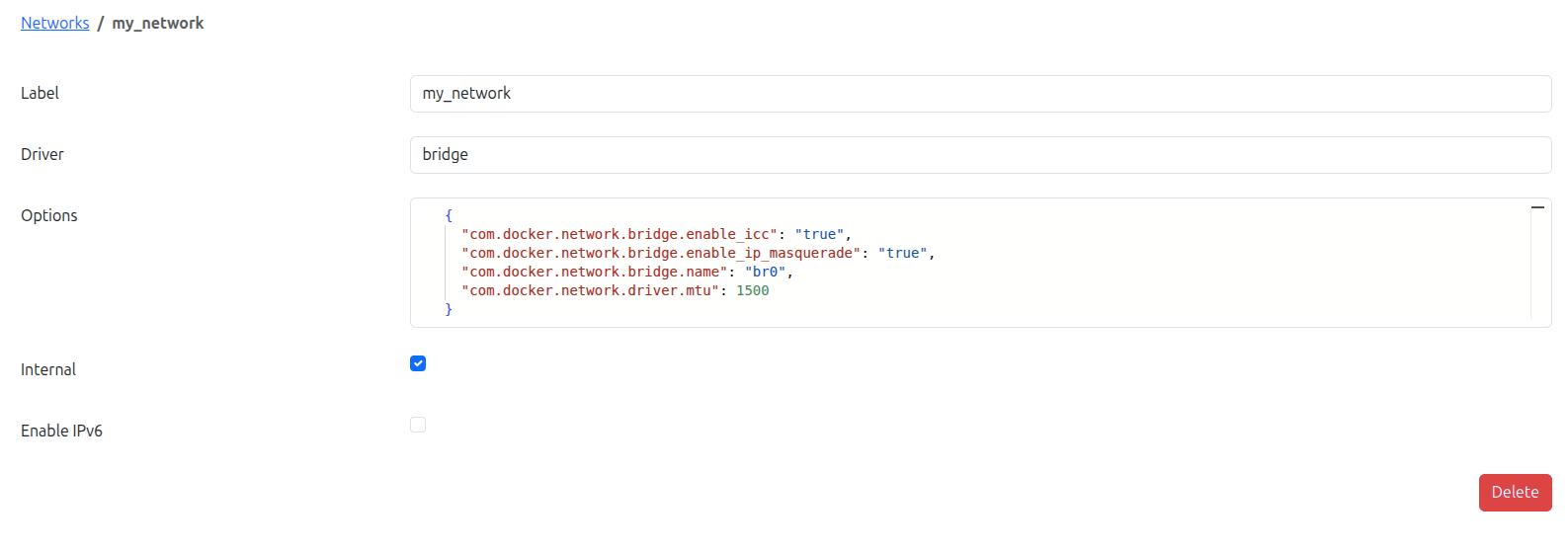
Clicking on a network’s Label navigates to a detailed page showing all configuration details for that network.
-
The Details page also includes a Delete button, which allows you to remove the network.
- Note: A network can only be deleted if it is not currently used by any container.
This makes it easy to manage, inspect, and verify network configurations across your deployments.