Create File Download Campaign
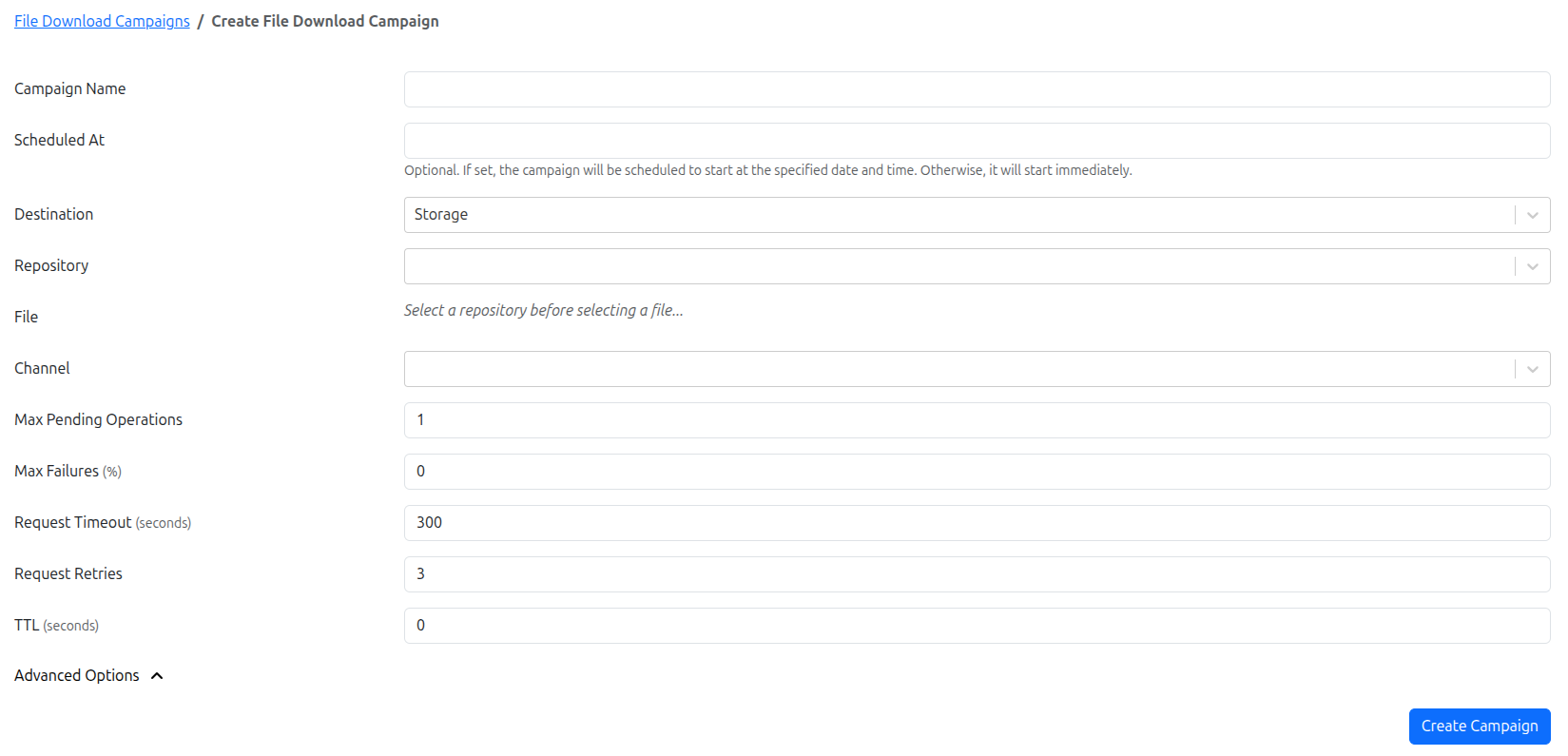
The Create Campaign page allows creating a new File Download Campaign. When creating a campaign, provide the following information:
- Campaign Name: a descriptive name.
- Repository / File: select the source Repository and File to deliver.
- Channel: the target Channel whose Devices will be included in the campaign.
- Destination Type: chooses whether the file is stored on-device, streamed, or written to a filesystem path.
- Destination Path: required only when the destination type is
Filesystem. - Scheduled Time (optional): when the campaign should start; if omitted it starts immediately.
- Advanced Options: encoding, file mode, UID/GID, retries, and request timeout.
- Roll-out Mechanism properties.
Press "Create" to save the Campaign. When started, Device Manager snapshots the Channel membership and targets only those Devices for the campaign run.
Advanced Options
- File Mode: Unix permissions (e.g., 0644) for Unix-like targets.
- User ID / Group ID: numeric ownership values to apply on the File on the Device.
Destination Types
File Download Campaigns use the same destination types as manual File Download Requests:
- Storage: persist the file on the Device's storage and record the resulting on-device path.
- Streaming: process the file without storing it on the Device.
- Filesystem: write the file to the configured destination path on the Device filesystem.
The destination path field is only shown and required for the Filesystem destination type.
Roll-out Mechanism
File Download Campaigns use a Roll-out Mechanism to control how downloads are scheduled across Devices. Device Manager currently supports the Lazy mechanism.
Lazy Roll-out Mechanism
The Lazy mechanism performs gradual rollouts and offers the following controls:
- Max Failure Percentage: the maximum percentage of failed targets tolerated; exceeding it aborts the Campaign.
- Max In-Progress Downloads: maximum concurrent download requests that can be in-progress.
- Create Request Retries: retries attempted for request creation/acknowledgment per Device.
- Request Timeout: per-request timeout in seconds.
These properties allow you to limit blast radius and control load on networks and devices.