QEMU usage
Build and configure
You can build an image for QEMU just as you would for all other platforms supported by Clea OS.
When running the build configurator for a QEMU machine, a
specific menu appears: QEMU runtime configuration.
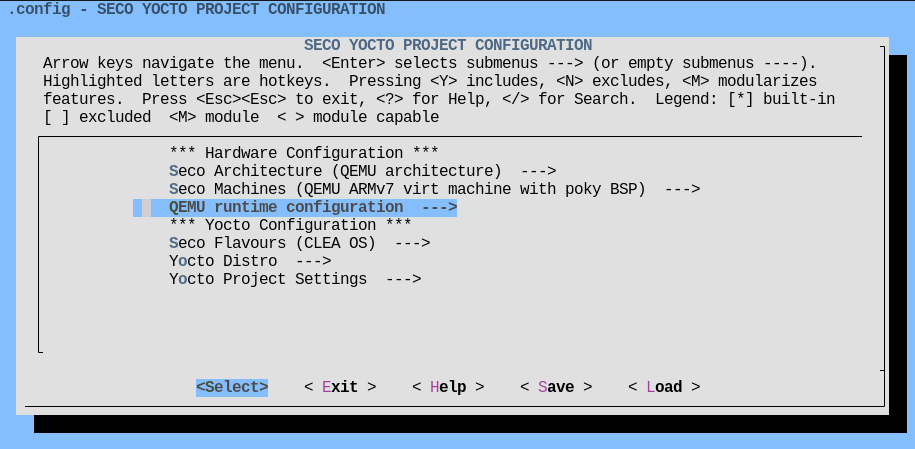
This menu contains configuration parameters that will be used to populate the
qemuboot.conf and local.qemuboot.conf files (see Support).

A few examples:
| Parameter | Description |
|---|---|
| Memory (MiB) | Amount of available RAM in MiB. Optionally, a suffix of "M" or "G" can be used to signify a value in megabytes or gigabytes respectively. |
| Number of CPUs | Number of CPU cores inside the QEMU guest, each mapped to a thread on the host. |
| CPU | QEMU CPU, e.g., -cpu cortex-a72 |
Use the <Help> button in menuconfig to see a detailed description of each parameter.
Many of these parameters map directly to a QEMU command line argument, so also see the
QEMU manpage for information.
When in doubt, it is recommended to leave these options unset (they will be set to a valid default value automatically).
Running
See runqemu --help for information on runqemu command line arguments such as nographic and slirp.
With Yocto SDK
You can run an instance of QEMU from an environemnt that provides the bitbake command, i.e.:
- the build environment created by the project setup script
seco-setup.sh; - the Yocto SDK.
runqemu nographic slirp
This will:
- automatically locate the files in
tmp/deploy/images/<machine>/; nographicdisables video output; (optional, you can omit it when using the SDK);slirpsets up network in a way that doesn't require root privileges.
With native QEMU
To run an instance of QEMU in an environment without bitbake support, you need to:
- install a suitable QEMU distribution for your host and target systems at
/usrprefix; - copy or cd to the deploy directory
tmp/deploy/images/<machine>/.
Then you can issue the command:
# Launch runqemu from current directory
PATH="$PWD:$PATH" ./runqemu seco-clea-os-image-qemuarm-rootfs.local.qemuboot.conf nographic slirp
Replace seco-clea-os-image-qemuarm-rootfs.local.qemuboot.conf with the correct name of the
.local.qemuboot.conf file.
The PATH="$PWD:$PATH" assignment is necessary because runqemu needs to locate its Python dependencies
in the current directory.
Graphics
To enable video output, omit nographic.
This will spawn a new window and render the guest video output in it.
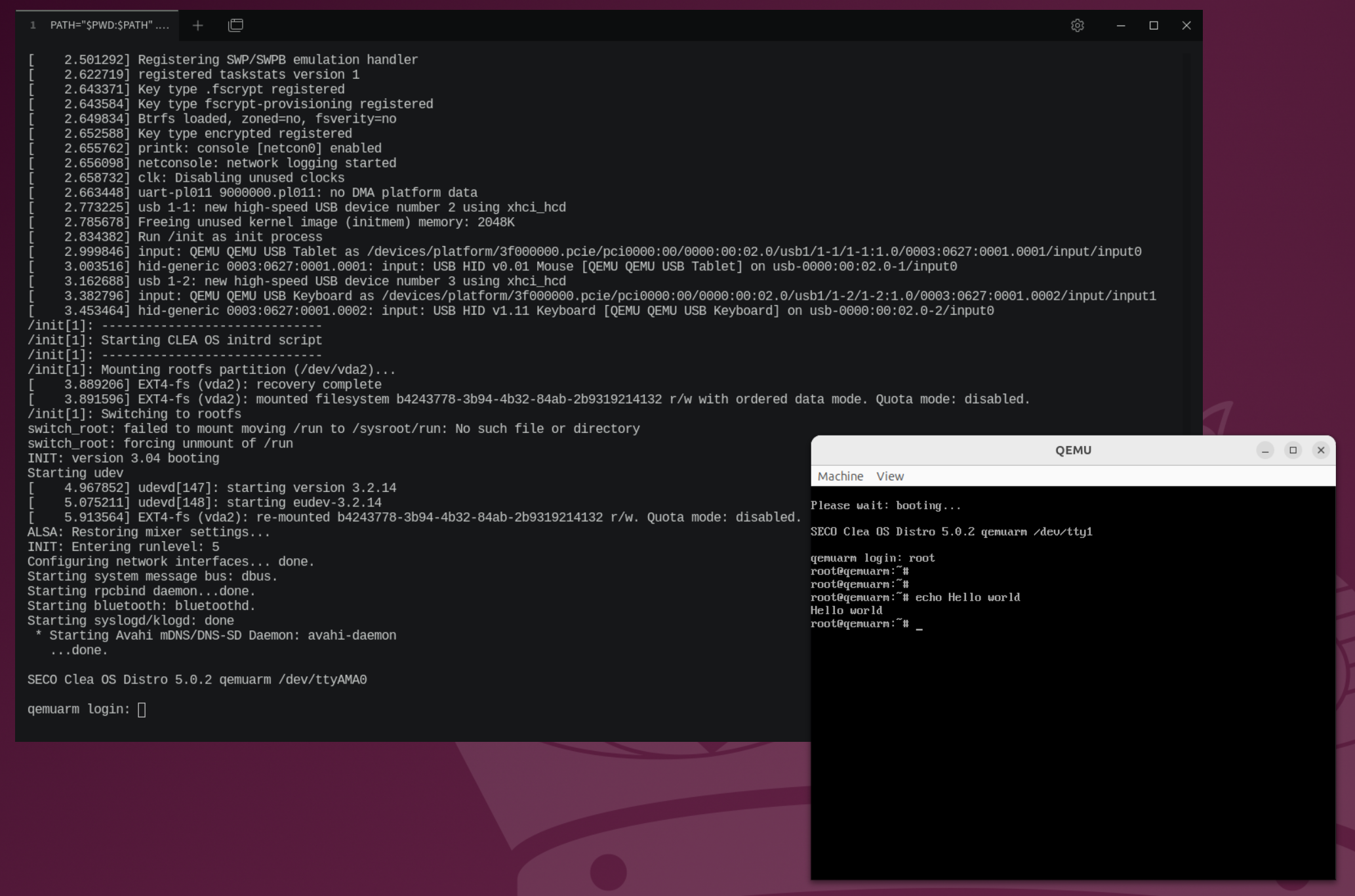
In this mode, the serial output is hidden by default. Pass serialstdio to keep the serial
output enabled:
# With SDK
runqemu slirp serialstdio

# Native QEMU
PATH="$PWD:$PATH" ./runqemu seco-clea-os-image-qemuarm-rootfs.local.qemuboot.conf slirp serialstdio