Modular Vision is a next-generation HMI
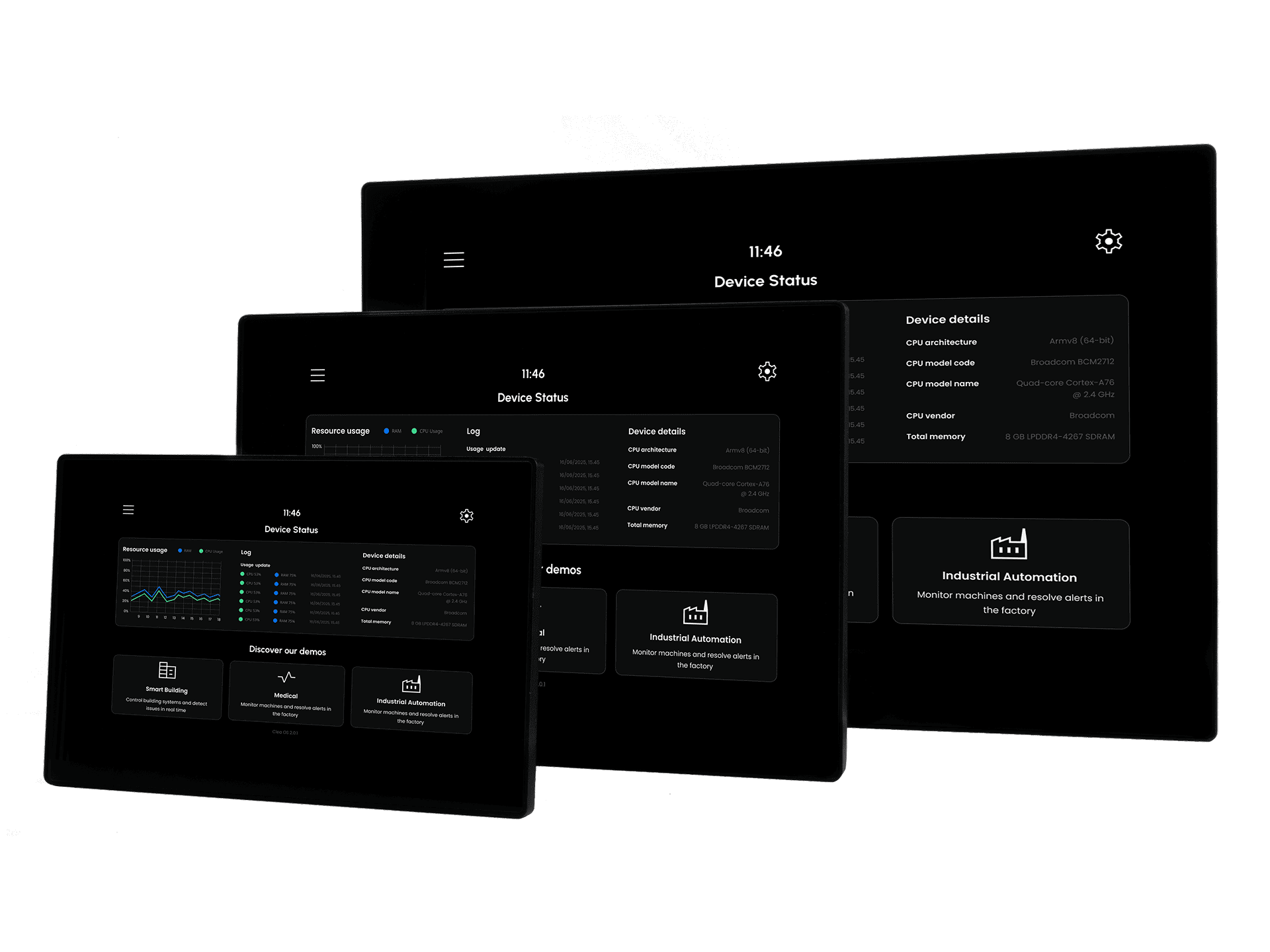
Modular Vision is SECO's modular HMI platform designed to help OEMs, system integrators and developers move faster from evaluation to deployment with a ready-to-use industrial interface baseline. Across the family, Modular Vision combines integrated touch displays, embedded compute, industrial connectivity and access to the broader SECO ecosystem, including Clea OS, the Developer Center and the Application Hub. Depending on the selected configuration, Modular Vision is available with different processor options and display formats, giving teams a scalable path across performance, graphics and edge AI requirements. Current material references 7.0-inch, 10.1-inch and 15.6-inch display options across the family, with different processor-based variants and product pages being rolled out on the Developer Center.
Technical Overview
Modular Vision is positioned as an all-in-one industrial HMI platform that integrates display, touch, compute and I/O in a single product architecture. The family positioning highlights high-resolution touch displays, industrial interfaces, embedded-ready integration, Clea OS support and a workflow designed to simplify adoption from first power-on to application bring-up. At product level, the platform can expose industrial and peripheral interfaces such as Ethernet, serial ports, CAN, USB, digital I/O and service connectors, with the exact I/O set depending on the specific Modular Vision variant.
Key features
- Ready-to-use industrial HMI architecture
- Integrated touch display with chemically strengthened cover glass
- Clea OS based software baseline
- Industrial connectivity and field integration options
- Scalable processor portfolio across performance tiers
- Path from evaluation to deployment without changing hardware foundations
Displays
| 7.0" | 10.1" | 15.6" |
|---|---|---|
| Resolution: 1024 x 600 | Resolution: 1280 x 800 | Resolution: 1920 x 1080 |
| LED lifetime: 50K hours | LED lifetime: 50K hours | LED lifetime: 50K hours |
| Brightness: 400cd/m² | Brightness: 400cd/m² | Brightness: 400cd/m² |
| Touch: P-Cap | Touch: P-Cap | Touch: P-Cap |
| Cover glass: 3.0mm chemically strengthened | Cover glass: 3.0mm chemically strengthened | Cover glass: 3.0mm chemically strengthened |
Interfaces
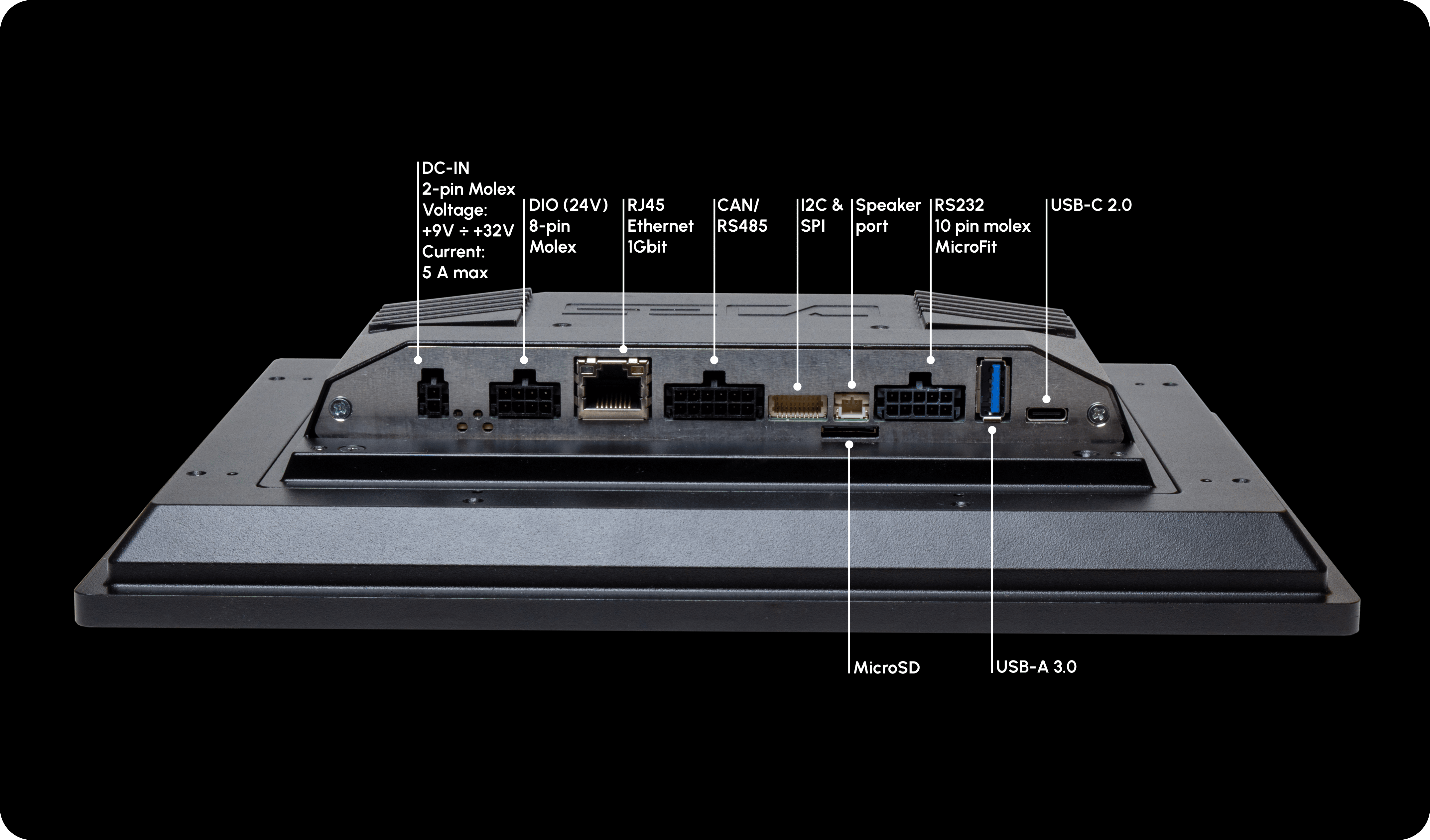
Use the available interfaces to connect Modular Vision to external peripherals, field devices and machine-level systems. The following list provides an overview of the main connectivity options available for integration and development:
- 2x RS232
- 1x RS485 full duplex
- 1x CAN-FD
- 1x GB-Ethernet
- 1x USB C Dual role
- 1x USB 2.0 Type A
- 2x Digital In, 2x Digital Out
Mounting options
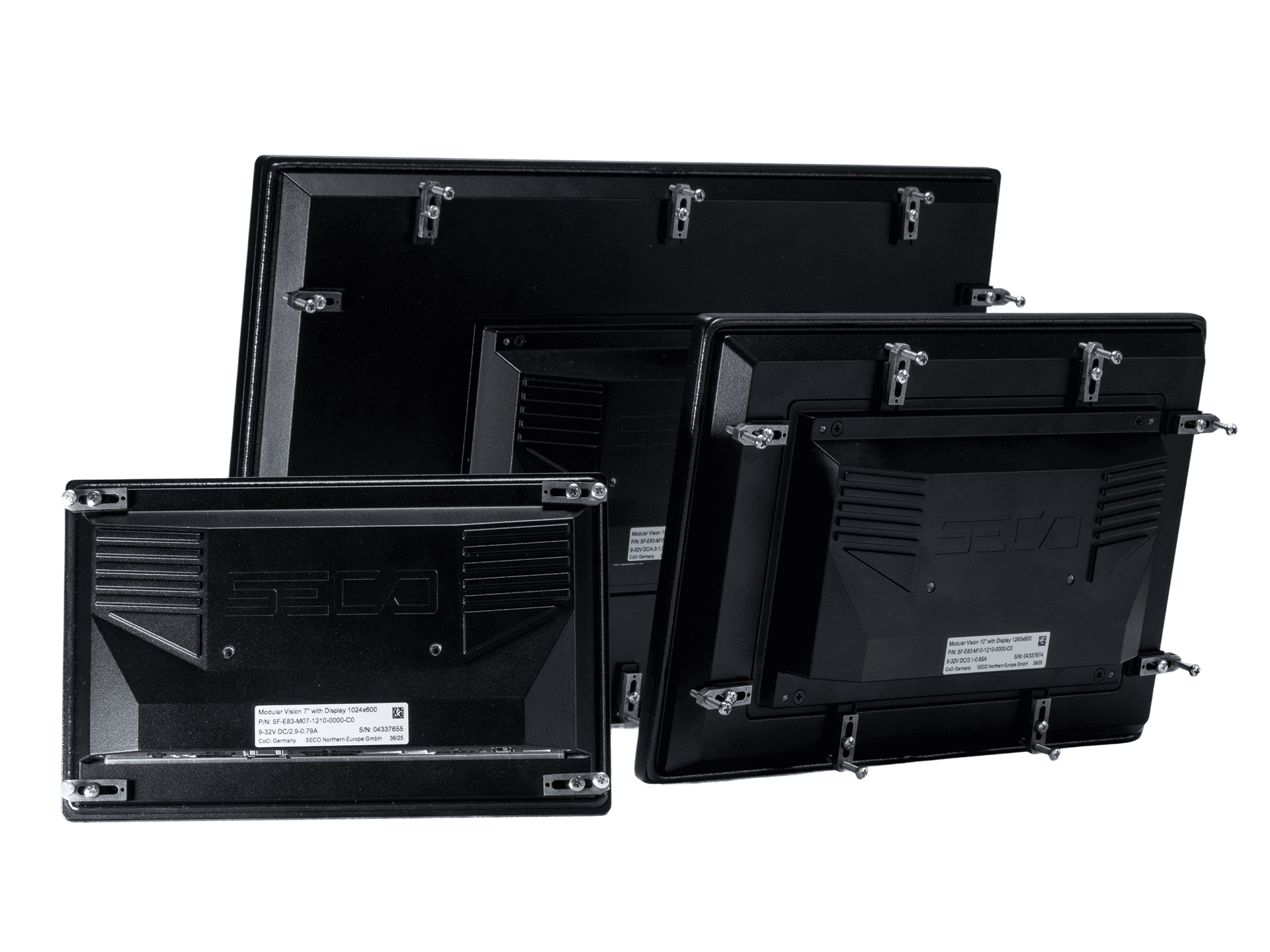
Modular Vision supports multiple mounting approaches to adapt the product to different machine, kiosk and industrial installation contexts. Depending on the variant, the available options can include panel mounting, rear mounting and flush mounting.
Panel Mount
Panel mount is the reference option for machine fronts, operator panels and integrated industrial cabinets. Current material describes Modular Vision as suitable for panel mount integration, with dedicated brackets available for installation.
Rear Mount
Rear mount is suitable when the HMI needs to be installed behind a front surface while keeping the display visible from the operator side. Internal product material lists a dedicated rear mount adaptor among the available accessories.
Flush Mount
Flush Mount is intended for installations where Modular Vision must sit flush with the front surface. It uses a dedicated flush mount frame and is part of the frameless mounting options within the Modular Vision family, making it suitable for applications that require a clean and integrated front design.
Documentation
2D-Files
3D-Files
Software
Modular Vision configurations
Modular Vision is available in multiple product configurations, each aligned to a specific processor family and target use case. The Developer Center is structured to provide dedicated pages for each product variant, so users can access the correct documentation set, supported software resources and hardware-specific setup guidance. Use the links below to navigate to the dedicated page for your selected Modular Vision configuration.
SF-E83-MV_E08
Modular Vision ASL is an all in one HMI solution available in 10.1 inch and 15.6 inch formats, powered by Intel Atom x7000RE Amston Lake processors and delivering scalable x86 performance for advanced industrial applications.Coming soon
Modular Vision Genio 700 is an all in one HMI solution available in 10.1 inch and 15.6 inch formats, powered by the MediaTek Genio 700 processor and designed to deliver reliable edge computing and responsive graphics performance in industrial environments.Coming soon
Modular Vision Genio 510 is an all in one HMI solution available in 10.1 inch and 15.6 inch formats, powered by the MediaTek Genio 510 processor and designed for efficient edge computing and dependable industrial performance.F86
The Modular Vision Dragonwing IQ8 is an advanced industrial HMI designed for Edge AI applications, combining high-performance processing, on-device AI acceleration and a modular architecture for intelligent interfaces, machine vision and automation systems.SF-E83-MV_D18
Modular Vision is an all-in-one HMI solution available in 7”, 10.1” and 15.6” formats, featuring the NXP i.MX8M Plus processor for efficient AI processing and industrial-grade performance.SF-E83-MV_E39
Modular Vision 7” MX93 is an all-in-one HMI solution powered by the NXP i.MX93 processor, delivering efficient AI processing and reliable industrial performance.SF-E83-MV_E88
Modular Vision 10.1” MX95 is an all in one HMI solution powered by the NXP i.MX95 processor, providing efficient edge computing and dependable industrial performance.SF-E83-MV_E81
Modular Vision 10.1 QCS6490 and Modular Vision 15.6 QCS6490 are all in one HMI solutions powered by the Qualcomm QCS6490 processor, delivering strong AI acceleration, efficient edge computing and reliable industrial performance.Coming soon
Modular Vision Ultra is a 15.6-inch panel mount industrial HMI designed to support multiple SECO COM Express modules, combining a Full HD touch display, IP65 front protection and a common hardware platform for different computing configurations.Accessories
Modular Vision can be extended with mounting accessories and installation-related components to support different deployment scenarios. Mounting screws and mechanical installation accessories can be included depending on the selected commercial configuration. The power supply is not always included and should be purchased separately when not part of the selected kit or bundle. Always verify the exact scope of supply in the product page, order confirmation and packing list.
Power supply note Power supply requirements vary depending on the selected Modular Vision configuration. Always use a regulated external DC power supply that matches the voltage, current and connector specifications reported in the datasheet of your product variant.
Physical installation and first boot
Once the device is mounted and all required accessories are available, you can complete the basic installation and power-on procedure.
Step 1, Place and secure the device
Place the Modular Vision unit in its intended installation position and verify that the product is properly fixed using the selected mounting option. Make sure all interfaces remain accessible before proceeding.
Step 2, Connect the power supply
Connect the external regulated DC power supply using the connector and electrical specifications required by your product variant. Before powering on, double-check voltage, polarity and compatibility with the selected configuration.
Step 3, Connect Ethernet if needed
If your validation or onboarding flow requires network access, connect an Ethernet cable to the available network port before first boot.
Step 4, Connect keyboard and mouse
If local interaction is required, connect a USB keyboard and mouse to the available USB ports. This is especially useful for initial testing, local configuration and first evaluation.
Step 5, Power on the device
Switch on the external power supply and verify that the product powers up correctly, the status indicators turn on and the display starts the boot sequence.
Step 6, Wait for system boot
Wait until the operating system interface is fully loaded. Current Modular Vision material positions Clea OS as the software baseline for supported product variants and the broader first-start experience.
Step 7, Verify basic functionality
Use the touch screen and any connected peripherals to confirm that display, touch and basic I/O are working correctly. If demo or sample applications are available, launch them to validate the platform's baseline behavior.
Out-of-the-Box Experience
Modular Vision is designed to offer a smooth first-start experience from the moment the device powers on. Internal material describes a local environment immediately available on the device, with built-in monitoring tools, demos, testing utilities, and access to the Application Hub. From there, users are guided to the Developer Center for the next setup and integration steps.
Clea Free Trial
Modular Vision is built to connect with the wider SECO ecosystem through Clea. The Clea Free Trial gives users access to onboarding resources and connected platform services, extending the experience beyond local hardware setup and into device operations, software deployment, and ecosystem enablement.
To explore the cloud and IoT layer in more detail, visit the dedicated Clea Dev Center Page.
Start with Clea now requesting a Free Trial.